If you’re attempting to upload files on your new WordPress theme or are getting errors that you need to increase your upload size or memory limit, they can easily be solved by following these directions:
- Login to cPanel
- Click Select PHP Version
- From the drop-down menu, select 5.5 (if you’re wanting to keep default) and click Set as current
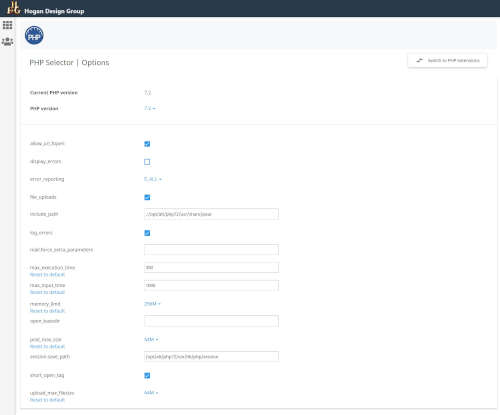
- Once this has been selected you’ll notice a new link on the left that says Switch To PHP Options, click on that.
- From here, you can edit any values to best meet your WordPress installation:
Preferably to the following values.
memory_limit = 256
upload_max_size = 64M
post_max_size = 64M
upload_max_filesize = 64M
max_execution_time = 300
max_input_time = 1000